
01Project-aware sessions
Every session knows where it stands.
Chats are bound to a project directory. The agent reads, writes, and runs tools inside your codebase, and switching projects carries the context with you.
A desktop for the Pi coding agent
Replies stream silky-smooth, Markdown renders like typeset prose, and every Pi capability—projects, providers, extensions, skills—works first-class. The polished desktop your coding agent always deserved.
The agent, in motion
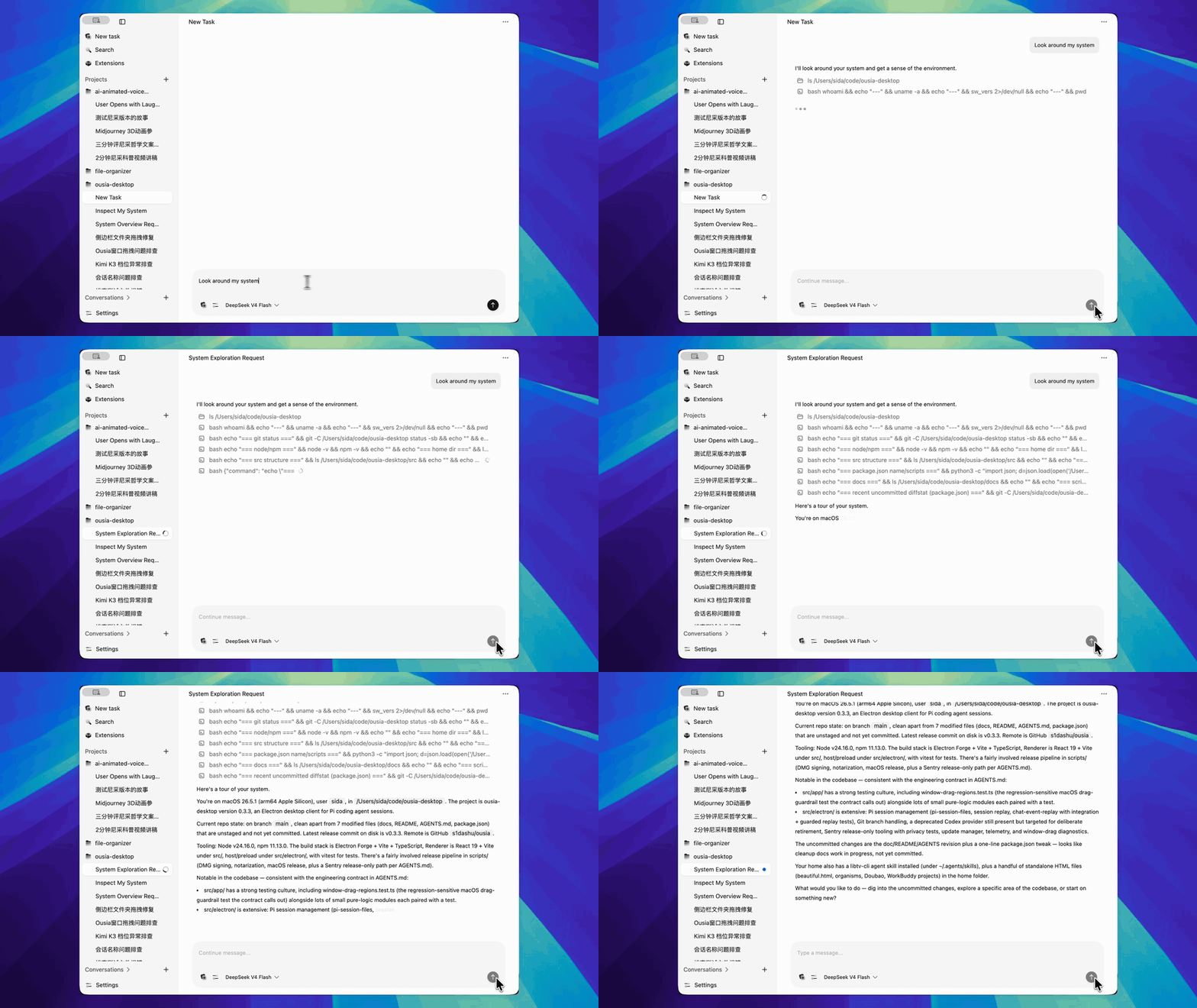
Replies stream as live Markdown, with tool calls summarized and expandable inline—so you follow the agent's thinking instead of scrolling a terminal buffer.
Built for daily work with agents
Chats are bound to a project directory. The agent reads, writes, and runs tools inside your codebase, and switching projects carries the context with you.
Assistant output flows through Streamdown—fenced code blocks, tables, and expandable tool-call summaries, rendered live so you can watch the agent think.
Sessions, sidebar layout, window position, theme, and typography return on relaunch. Search across history and jump straight to the matching message.
Why a desk
Ousia is built for people who work with an agent all day. Pi keeps its tools, providers, and skills; Ousia gives the conversation a place to live—interruption, compaction, branching, and all.
Also in the box
Discover, install, and update Pi packages from a curated catalog.
Search across chat history and jump to the matching message.
Shape the agent's behavior in a dedicated Markdown editor.
Create and switch project branches without leaving the session.
Drag files and images into the composer for multimodal models.
Anthropic, OpenAI, Gemini, and other Pi-compatible providers.
Reads ~/.pi/agent—setup done in the Pi CLI works here, and back.
Desktop state and logs stay in app data and ~/.ousia.
Three small steps
Ousia is pre-release software for Apple-silicon Macs and ships fast. Download the latest DMG, or clone the repository and run it from source with Node 24.
Grab the newest release from GitHub—a plain disk image for Apple-silicon Macs, with no store and no installer wizard.
Open the image, drag Ousia in, and launch. On first run, pick a default workspace folder for your projects.
Providers and credentials come from ~/.pi/agent. Set them up once—in the Pi CLI or in Settings—and every session is ready.
Version 0.3 · Pre-release · MIT licensed
Privacy is part of the product
Ousia keeps its state on your disk and leaves the source of truth with Pi: providers, credentials, models, and session history stay in ~/.pi/agent. Production builds send only privacy-sanitized diagnostics—prompts, responses, tool payloads, and credentials are excluded entirely.
